

Matterport e scanner LiDAR portatili sono entrambi utilizzati per catturare spazi reali, ma non sono costruiti esattamente per lo stesso scopo.
Matterport è ampiamente conosciuta per i digital twin, i tour virtuali e la visualizzazione online degli spazi. Aiuta gli utenti a presentare gli spazi in modo visivo, a condividere walkthrough da remoto e a supportare la collaborazione tra team di proprietà, progettazione e costruzione.
Quindi, confrontando scanner Matterport conLiDAR, quale workflow è migliore per CAD e BIM?
La risposta dipende da cosa devi consegnare.
A cosa serve meglio Matterport?
Matterport è un'opzione solida quando l'obiettivo principale è creare un gemello digitale visivo o un tour virtuale di uno spazio. Gli utenti possono acquisire una proprietà, caricare i dati sulla piattaforma Matterport e creare una guida online che può essere condivisa con clienti, acquirenti, team di progetto o stakeholder.
Matterport è comunemente usato per:
- Tour virtuali immobiliari
- Pubblicazione immobiliare
- Visite remote
- Gemelli digitali
- Visione dello spazio online
- Documentazione visiva
- Collaborazione con il progetto
- Comunicazione per progettazione e costruzione
Per i team che devono mostrare chiaramente uno spazio e renderlo facile da consultare online, Matterport può essere una soluzione pratica e rifinita. Offre inoltre flussi di lavoro legati a CAD e BIM per gli utenti che necessitano di ulteriori deliverable oltre a un tour virtuale.
In altre parole, Matterport non è solo uno strumento immobiliare. Ha anche valore nei flussi di lavoro di progettazione e costruzione, soprattutto quando i team hanno bisogno di contesto visivo e collaborazione a distanza.
A cosa serve meglio uno scanner LiDAR portatile?
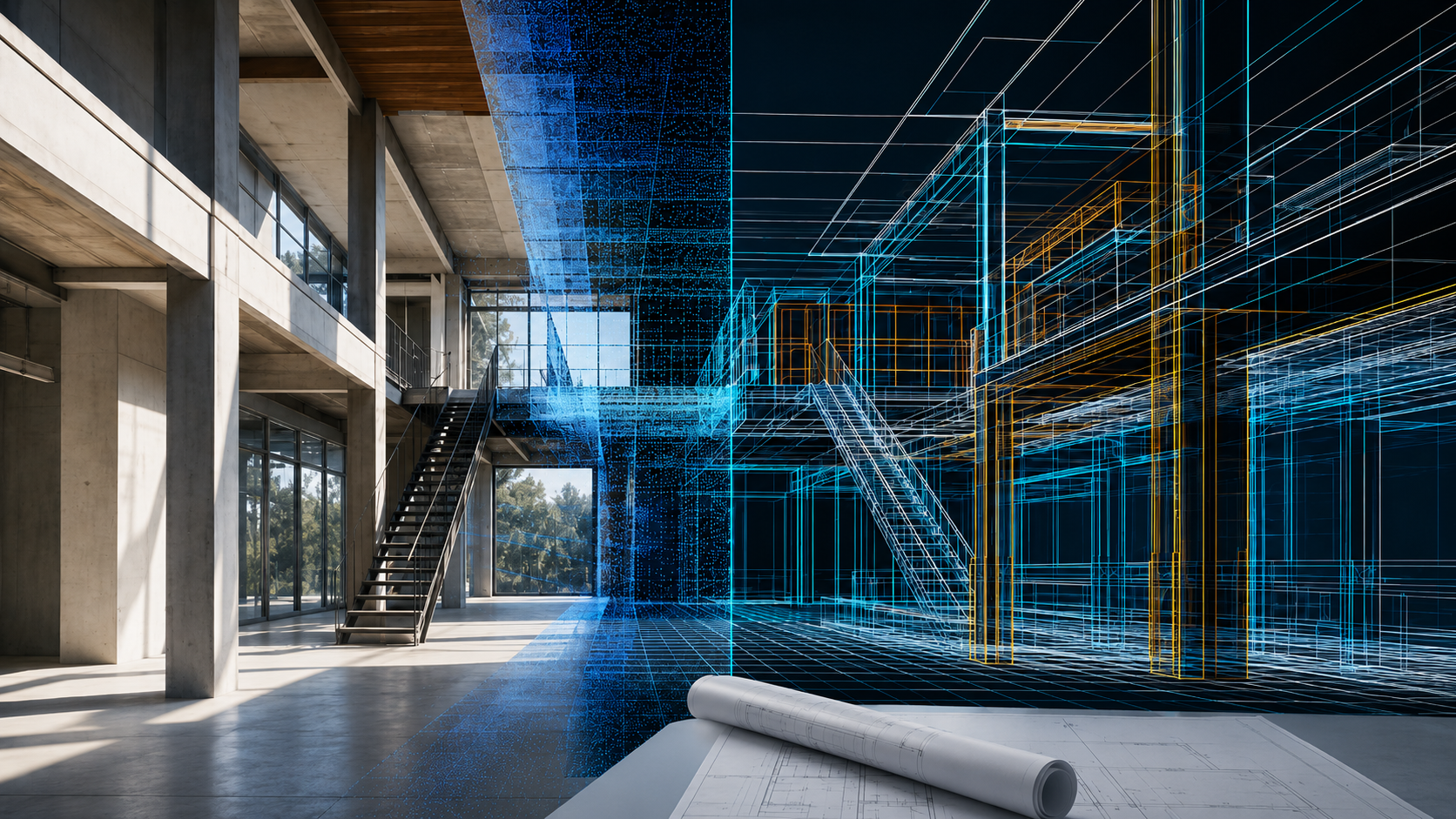
Uno scanner LiDAR portatile è progettato per catturare dati spaziali dal mondo reale. Invece di concentrarsi principalmente sulla visualizzazione online, registra la geometria di uno spazio come dati a nuvole di punti.
Questo rende utile la scansione LiDAR portatile per flussi di lavoro che richiedono misurazioni, modellazione, modifica o deliverable tecnici.
Uno scanner LiDAR portatile è comunemente utilizzato per:
- Cattura delle nuvole puntiforme
- Flussi di lavoro da scansione a CAD
- Flussi di lavoro da scansione a BIM
- Documentazione as-built
- Generazione della pianta
- Pianificazione della ristrutturazione
- Documentazione di costruzione
- Misurazione del design d'interni
- Modellazione 3D
- Documentazione della struttura
Per i team che devono lavorare con i dati invece di visualizzare solo uno spazio, la scansione LiDAR portatile può essere più adatta.
Matterport vs Scanner LiDAR: Confronto delle uscite
La differenza più grande tra Matterport e uno scanner LiDAR portatile non è semplicemente il dispositivo di scansione. È il flusso di lavoro finale e le consegne.
| Necessità di output | flusso di lavoro Matterport | flusso di lavoro portatile con scanner LiDAR |
|---|---|---|
| Tour virtuale | Adatta bene per walkthrough online e digital twin | Non è il fulcro principale |
| Nuvola di punti | Disponibile a seconda del piano, del componente aggiuntivo o del flusso di lavoro di esportazione | Output del flusso di lavoro core |
| Disegni CAD | Disponibile tramite servizi o componenti aggiuntivi correlati al CAD | Supportato tramite flussi di lavoro scan-to-CAD |
| Riferimenti BIM | Disponibile tramite flussi di lavoro correlati al BIM | Supportato tramite scansione a BIM e flussi di lavoro compatibili con Revit |
| Planimetrie | Disponibile come parte di servizi di piattaforma o aggiuntivi | Può essere generato dai dati di scansione a seconda del flusso di lavoro del software |
| Modelli 3D | Utile per i gemelli digitali visivi | Utile per design, modellazione e documentazione |
| Controllo dei dati | Più basata sulle piattaforme | Più flessibili per l'elaborazione interna e i deliverable |
| Migliori utenti | Immobiliare, marketing immobiliare, visione remota, collaborazione visiva | Progettisti, appaltatori, architetti, ingegneri, team BIM, fornitori di servizi di scansione |
Se il tuo deliverable è principalmente una guida online, Matterport è un'opzione solida. Se il tuo deliverable deve diventare CAD, BIM, dati point cloud o un modello tecnico 3D, uno scanner LiDAR portatile potrebbe offrire un maggiore controllo del flusso di lavoro.
Matterport vs Scanner LiDAR per flussi di lavoro CAD
I flussi di lavoro CAD sono importanti per ristrutturazioni, interior design, costruzione e documentazione as-built. Progettisti e appaltatori spesso hanno bisogno di file modificabili come DWG o DXF, non solo di un tour visivo.
Matterport può supportare flussi di lavoro di file CAD, specialmente per gli utenti già all'interno dell'ecosistema Matterport. Questo può essere utile per i team che desiderano un processo più semplice basato su una piattaforma.
Tuttavia, i team che necessitano frequentemente di disegni pronti per CAD possono preferire uno scanner LiDAR portatile perché offre un controllo più diretto sui dati di scansione, sulle point cloud e sull'elaborazione CAD.
Con un flusso di lavoro scan-to-CAD basato su LiDAR, gli utenti possono:
- Cattura il sito come dati a nuvola di punti
- Rivedi e misura la scansione
- Estrarre muri, porte, finestre, sezioni e curve di livello
- Crea disegni pronti per CAD
- Esporta file DWG o DXF
- Riutilizzare i dati di scansione per la documentazione futura
Per i team che gestiscono molti progetti, questo può essere particolarmente utile perché il flusso di lavoro non è limitato a un singolo tipo di tour online o di consegna su una piattaforma.
Matterport vs scanner LiDAR per flussi di lavoro BIM
I flussi di lavoro BIM richiedono più di una semplice documentazione visiva. Spesso necessitano di riferimenti accurati del sito, dati sulle condizioni esistenti e informazioni adatte al modello che possano supportare Revit o altri software BIM.
Matterport può supportare flussi di lavoro correlati al BIM e può essere utile per i team di progetto che già utilizzano i gemelli digitali Matterport per la documentazione e la collaborazione nella costruzione.
Uno scanner LiDAR portatile è più adatto ai team che vogliono catturare le nuvole di punti e usarle direttamente come riferimento per la modellazione BIM. Questo è particolarmente utile per:
- Progetti di ristrutturazione
- Documentazione costruttiva esistente
- Modellazione as-built
- Aggiornamenti della struttura
- Coordinamento della costruzione
- Flussi di lavoro da scansione a BIM
- Modellazione basata su Revit
Con il flusso di lavoro scan-to-BIM di FJD Trion, gli utenti possono collegare i dati di scansione con processi compatibili con Revit, facilitando il passaggio dalla cattura reale alla modellazione e revisione BIM.
Quale flusso di lavoro è migliore per l'interior design e la ristrutturazione?
Per il design d'interni e la ristrutturazione, il miglior flusso di lavoro dipende dal risultato finale.
Matterport è utile quando l'obiettivo è mostrare uno spazio visivamente, condividerlo con i clienti o creare una guida dettagliata e rifinita. Questo può aiutare i clienti a comprendere la disposizione e l'atmosfera generale di una stanza.
La scansione LiDAR portatile è più adatta quando i progettisti necessitano di dati di progettazione pratici, come:
- Misurazioni accurate della stanza
- Nuvole puntiforme
- Planimetrie 2D
- Riferimenti CAD
- Modelli 3D
- Documentazione as-built
- Scansione delle stanze verso i flussi di lavoro modellati in 3D
- Dati sulla pianificazione della ristrutturazione
Ad esempio, se un interior designer deve solo presentare uno spazio a un cliente remoto, un tour virtuale può essere sufficiente. Ma se il designer deve creare planimetrie, pianificare la disposizione dei mobili, preparare disegni o lavorare con file CAD, uno scanner LiDAR può fornire dati di progetto più utili.
Quale workflow è migliore per la documentazione di costruzione e as-built?
La documentazione di costruzione e di costruzione richiede spesso registrazioni accurate del sito. I team potrebbero dover documentare le condizioni esistenti, confrontare i progressi del sito, preparare disegni di ristrutturazione o supportare il coordinamento BIM.
Matterport può essere utile per la visualizzazione remota del sito e la comunicazione visiva. Permette ai team di esplorare virtualmente un progetto e comprendere il contesto del sito.
La scansione LiDAR portatile è più pratica quando il team ha bisogno di dati dettagliati e misurabili. Aiuta a creare point cloud e riferimenti tecnici che possono supportare workflow CAD, BIM, ispezione e documentazione.
Per i team di costruzione, la scansione LiDAR portatile può supportare:
- Cattura delle condizioni esistenti
- Documentazione as-built
- Record di nuvole puntiforme
- Scansione a CAD
- Scansiona in BIM
- Documentazione dei progressi
- Registri di consegna della struttura
- Gestione dei dati a lungo termine degli edifici
Se l'obiettivo principale è la collaborazione visiva, Matterport può essere utile. Se l'obiettivo è dati di progetto misurabili e risultati tecnici, la scansione LiDAR portatile potrebbe essere la scelta migliore.
Flessibilità del flusso di lavoro a lungo termine: controllo tra piattaforma e interno
Un'altra differenza importante è il controllo del flusso di lavoro.
Matterport è un flusso di lavoro basato su una piattaforma. Questo può essere comodo perché gli utenti possono catturare, caricare, elaborare, visualizzare e condividere spazi all'interno di un unico ecosistema. Per molte squadre, questa semplicità è un grande vantaggio.
Uno scanner LiDAR portatile offre ai team maggiore controllo sui dati di scansione e sui deliverable. Questo può essere importante per i professionisti che necessitano di output ripetuti di CAD, BIM, nuvole di punti o modelli 3D.
Per i team di scansione frequenti, i flussi di lavoro LiDAR interni possono aiutarli:
- Gestisci direttamente i dati di scansione
- Cloud di punti di processo basati sulle esigenze del progetto
- Creare deliverable diversi per clienti differenti
- Costruire capacità interne di scansione a CAD o scansione a BIM
- Ridurre la dipendenza da un flusso di lavoro di una sola piattaforma
- Espandere dai tour visivi ai servizi tecnici di scansione 3D
Questo è particolarmente rilevante per fornitori di servizi di scansione, aziende di ristrutturazione, architetti e team di costruzione che necessitano di più di semplici visite visive.
Come FJD Trion supporta i flussi di lavoro CAD e BIM
FJD Trion fornisce scanner LiDAR portatili e flussi di lavoro software per professionisti che necessitano di dati 3D accurati e deliverable flessibili.
Per i flussi di lavoro CAD, FJD Trion Scan to CAD aiuta gli utenti a trasformare i dati di scansione LiDAR in informazioni di progetto pronte per CAD. Questo supporta flussi di lavoro che coinvolgono point cloud, planimetrie, sezioni ed esportazioni DWG/DXF.
Per i flussi di lavoro BIM, FJD Trion supporta processi scan-to-BIM con flussi di lavoro compatibili con Revit. Questo aiuta gli utenti a passare dai dati di scansione alla modellazione BIM e a revisionare in modo più efficiente.
A seconda del progetto, gli utenti possono scegliere diverse soluzioni FJD Trion:
- FJD Trion V4e LiDAR: Adatto per la cattura della realtà portatile, la scansione interna, i flussi di lavoro di ristrutturazione e le attività quotidiane di scansione 3D.
- FJD Trion P1 3D Scanner: Adatto per documentazione rapida del sito, scansione interna, pianimetrie e flussi di lavoro relativi a CAD/BIM.
- FJD Trion P2 Handheld LiDAR Scanner: Adatto a progetti di grandi dimensioni, mappatura 3D professionale, nuvole di punti dettagliate e documentazione as-built.
Per i team che necessitano di disegni pronti per CAD, riferimenti BIM, point cloud, planimetrie e modelli 3D, FJD Trion offre un flusso di lavoro progettato attorno alle consegne tecniche piuttosto che solo alla visualizzazione online.
Raccomandazione finale: scanner Matterport o LiDAR?
Matterport e scanner LiDAR portatili possono essere entrambi utili, ma servono priorità di workflow diverse.
Scegli Matterport se il tuo obiettivo principale è:
- Creare un gemello digitale
- Condividere un tour virtuale online
- Supporto al marketing immobiliare
- Fornire walkthrough remoti
- Migliorare la collaborazione visiva
Scegli uno scanner LiDAR portatile se il tuo obiettivo principale è:
- Cattura dei dati del point cloud
- Creazione di disegni pronti per CAD
- Supporto dei flussi di lavoro BIM
- Generazione di planimetrie
- Creazione di modelli 3D
- Documentazione delle condizioni esistenti
- Sviluppo di un flusso di lavoro interno da scansione a CAD o scansione a BIM
Per molti team, la decisione non riguarda quale strumento sia "migliore" nel complesso. Si tratta di quale flusso di lavoro si adatta meglio alla consegna.
Se hai bisogno di un tour virtuale rifinito, Matterport potrebbe essere la scelta giusta. Se hai bisogno di nuvole di punti misurabili, disegni pronti per CAD, riferimenti BIM e deliverable flessibili per la scansione 3D, uno scanner LiDAR portatile come FJD Trion potrebbe essere la scelta migliore.
Esplora gli scanner portatili LiDAR FJD Trion per workflow di scansione CAD, BIM, point cloud e scansione professionale 3D.
Domande frequenti
Matterport è migliore di uno scanner LiDAR?
Matterport è migliore per tour virtuali, digital twin e visione di spazi online. Uno scanner LiDAR portatile è migliore per i team che necessitano di point cloud, disegni pronti per CAD, riferimenti BIM, pianimetrie e deliverable tecnici di scansione 3D.
Matterport può essere usato per CAD e BIM?
Sì. Matterport offre flussi di lavoro legati a CAD e BIM. Tuttavia, i team che necessitano frequentemente di controllo diretto di point cloud, esportazioni CAD o flussi di lavoro scan-to-BIM possono anche considerare uno scanner LiDAR portatile.
Qual è la differenza tra Matterport e uno scanner LiDAR?
Matterport è un flusso di lavoro digitale e tour virtuale basato su una piattaforma. Uno scanner LiDAR cattura dati spaziali misurabili che possono essere elaborati in nuvole di punti, disegni CAD, riferimenti BIM, planimetrie e modelli 3D.
Quale è migliore per Scan a CAD?
Se hai bisogno solo di file CAD occasionali da uno spazio Matterport, il flusso di lavoro CAD di Matterport potrebbe essere adatto. Se il tuo team ha spesso bisogno di point cloud su CAD, esportazioni dwg/dxf e maggiore controllo sui deliverable CAD, uno scanner LiDAR portatile potrebbe essere più pratico.
Qual è meglio per scansionare e fare BIM?
Per i flussi di lavoro BIM, la scelta migliore dipende da quanto controllo il tuo team ha bisogno sui dati di scansione e sulla modellazione. Gli scanner LiDAR portatili sono utili per catturare le nuvole di punti e usarle come riferimento per la modellazione BIM e la documentazione as-built.
Matterport è un marchio del suo rispettivo proprietario. FJD Trion non è affiliato, sponsorizzato da Matterport né sostenuto da esso. Questo articolo è solo per confronto generale dei flussi di lavoro e scopi educativi.
Serve qualcosa di più di un tour virtuale? LiDAR portatile per CAD, BIM e modelli 3D
Da Matterport a CAD: opzioni per disegni DWG e DXF modificabili