


I tour virtuali hanno cambiato il modo in cui le persone visualizzano e condividono gli spazi online. Per il marketing immobiliare, le visite virtuali a distanza, la documentazione degli immobili e le presentazioni ai clienti, un tour virtuale 3D può rendere uno spazio più facile da comprendere anche senza essere presenti di persona.
Piattaforme come Matterport sono ampiamente utilizzate per la creazione di gemelli digitali, la visualizzazione online degli spazi e la realizzazione di esperienze immersive immobiliari. Per molti team, questo rappresenta un flusso di lavoro prezioso quando l'obiettivo principale è presentare uno spazio visivamente, condividerlo da remoto o creare un tour virtuale chiaro e intuitivo.
Ma alcuni progetti richiedono più di un tour virtuale.
Interior designer, architetti, imprese di ristrutturazione, team di costruzione e fornitori di servizi di scansione spesso necessitano di output che supportino il lavoro di progettazione e documentazione concreto: nuvole di punti, disegni CAD modificabili, riferimenti BIM, planimetrie, modelli 3D e dati misurabili relativi allo stato di fatto.
È lì che un scanner LiDAR portatile può diventare una soluzione più adatta. Invece di concentrarsi principalmente sulla visualizzazione online, la scansione LiDAR portatile aiuta i team a catturare spazi reali trasformandoli in dati di progetto utilizzabili per CAD, BIM, pianificazione delle ristrutturazioni e modellazione 3D.
Quando un tour virtuale è il flusso di lavoro giusto
Un tour virtuale è utile quando l'obiettivo principale è quello di consentire alle persone di visualizzare uno spazio a distanza. Permette a clienti, acquirenti, team di progetto o parti interessate di visitare virtualmente un immobile e comprenderne visivamente la disposizione.
Le piattaforme di tour virtuali sono particolarmente utili per:
- Annunci immobiliari
- Marketing immobiliare
- Passeggiate virtuali
- Presentazioni ai clienti
- Visibilità della struttura
- Documentazione spaziale di base
- Collaborazione online
Per questi casi d'uso, un tour virtuale può essere semplice, visivo e facile da condividere. Se il tuo obiettivo è mostrare uno spazio online, supportare la commercializzazione di un immobile o aiutare i clienti a comprendere l'aspetto e l'atmosfera di una stanza, un flusso di lavoro basato su un tour virtuale potrebbe essere sufficiente.
Matterport, ad esempio, eccelle nella creazione di gemelli digitali e tour virtuali immersivi in 3D. Offre inoltre servizi CAD e BIM per gli utenti che necessitano di ulteriori risultati. Quindi la questione non è se i tour virtuali siano utili, ma se il vostro progetto richieda qualcosa di più di un semplice tour visivo.
Quando i team hanno bisogno di qualcosa di più di un tour virtuale
Un tour virtuale aiuta le persone a visualizzare uno spazio. Tuttavia, i team di progettazione e costruzione spesso devono lavorare con quello spazio.
Ciò significa che potrebbero aver bisogno di dati accurati, modificabili e riutilizzabili per i flussi di lavoro professionali. Ad esempio, un interior designer potrebbe aver bisogno di una planimetria per la pianificazione degli spazi. Un'impresa di ristrutturazioni potrebbe aver bisogno di disegni pronti per il CAD. Un team BIM potrebbe aver bisogno di riferimenti di nuvole di punti. Un fornitore di servizi di scansione potrebbe dover fornire diversi tipi di file a clienti diversi.
In questi casi, i team spesso hanno bisogno di:
- Dati della nuvola di punti
- Disegni CAD modificabili
- File DWG o DXF
- Riferimenti BIM
- Flussi di lavoro compatibili con Revit
- Planimetrie 2D
- modelli 3D
- Documentazione as-built
- Flussi di lavoro per la conversione da scansione di ambienti a modello 3D
- Maggiore controllo sui risultati del progetto
Se il tuo team necessita frequentemente di questi risultati, uno scanner LiDAR portatile può offrire un flusso di lavoro più flessibile rispetto al semplice utilizzo di una piattaforma di tour virtuali.
Tour virtuale vs. scanner LiDAR portatile: principali differenze nel flusso di lavoro
Sia le piattaforme per tour virtuali che gli scanner LiDAR portatili possono contribuire alla digitalizzazione di spazi reali, ma sono progettati per scopi diversi.
| Necessità del flusso di lavoro | Piattaforma per tour virtuali | Scanner LiDAR portatile |
|---|---|---|
| Scopo principale | Visione online e tour virtuali | Acquisizione della realtà e dati di progetto misurabili |
| Ideale per | Marketing immobiliare, visite virtuali, comunicazione visiva | CAD, BIM, planimetrie, modelli 3D, documentazione as-built |
| Focus sull'output | Tour virtuali 3D, foto, planimetrie, gemelli digitali | Nuvole di punti, dati pronti per il CAD, riferimenti BIM, modelli 3D |
| Controllo dei dati | Spesso basato su piattaforma | Maggiore flessibilità per l'elaborazione interna e la consegna dei risultati |
| Utenti ideali | Team immobiliari, addetti al marketing immobiliare, visitatori di strutture | Progettisti, appaltatori, architetti, ingegneri, fornitori di servizi di scansione |
| flusso di lavoro a lungo termine | Ideale per la condivisione e la visualizzazione degli spazi | Ideale per la documentazione di progetto e la produzione di output tecnici ripetuti. |
La scelta migliore dipende dal risultato finale desiderato. Se l'esigenza principale è un tour visivo, un flusso di lavoro basato su tour virtuali rappresenta un'ottima opzione. Se invece sono necessari file tecnici per la progettazione, la ristrutturazione, il CAD o il BIM, la scansione LiDAR portatile potrebbe essere più pratica.
Perché CAD, BIM e nuvole di punti sono importanti
Per molti team di professionisti, il vero valore della scansione 3D non risiede solo nella possibilità di visualizzare uno spazio, ma anche nella capacità di utilizzare i dati della scansione nei flussi di lavoro di progettazione e costruzione.
Nuvole di punti
Una nuvola di punti è una rappresentazione digitale dello spazio scansionato. Può mostrare muri, pavimenti, soffitti, aperture, colonne, travi e altri dettagli del sito. Progettisti e ingegneri possono utilizzare le nuvole di punti per verificare le dimensioni, esaminare le condizioni esistenti e creare riferimenti di progettazione più affidabili.
Disegni pronti per il CAD
I file CAD sono importanti per la pianificazione della ristrutturazione, la modifica delle planimetrie, la documentazione di costruzione e lo sviluppo del progetto. scansione in CAD Il flusso di lavoro può aiutare i team a passare dai dati del mondo reale a disegni modificabili come i file DWG o DXF.
Riferimenti BIM
I flussi di lavoro BIM sono utili per l'architettura, l'ingegneria, l'edilizia e la gestione degli impianti. I dati di scansione possono fornire un riferimento sulle condizioni esistenti, aiutando i team a creare o aggiornare i modelli degli edifici con informazioni più precise sul sito.
Modelli 3D
I modelli 3D aiutano progettisti e clienti a comprendere più chiaramente spazio, volume, disposizione e modifiche progettuali. Nell'ambito della progettazione d'interni, della ristrutturazione e della comunicazione in cantiere, i modelli 3D possono facilitare la discussione delle decisioni relative al progetto.
Come il LiDAR portatile supporta i flussi di lavoro CAD e BIM
Uno scanner LiDAR portatile cattura lo spazio reale trasformandolo in dati spaziali. Invece di misurare una distanza alla volta, gli utenti possono camminare nello spazio e raccogliere una registrazione digitale più completa.
Un tipico flusso di lavoro con LiDAR portatile include:
- Osserva lo spazio: Cattura immagini di stanze, edifici, cantieri o aree di ristrutturazione con uno scanner LiDAR portatile.
- Elaborare la nuvola di punti: Converti i dati della scansione in una nuvola di punti misurabile per la revisione, la misurazione e la documentazione.
- Genera planimetrie o file CAD: Utilizza i dati di scansione per supportare planimetrie, disegni DWG/DXF o altri output pronti per il CAD.
- Utilizzare i dati per il BIM o modellazione 3D: Integra riferimenti basati su scansioni nei software di progettazione o nei flussi di lavoro BIM per la modellazione e il coordinamento.
- Condividi i risultati con i clienti o i team di progetto: Fornire planimetrie, file CAD, modelli 3D, dati di nuvole di punti o riferimenti visivi a seconda delle esigenze del progetto.
Questo flusso di lavoro è utile per i team che desiderano un maggiore controllo su come i dati delle scansioni vengono elaborati, esportati e riutilizzati.
Come FJD Trion supporta la consegna di risultati professionali derivanti dalla scansione 3D.
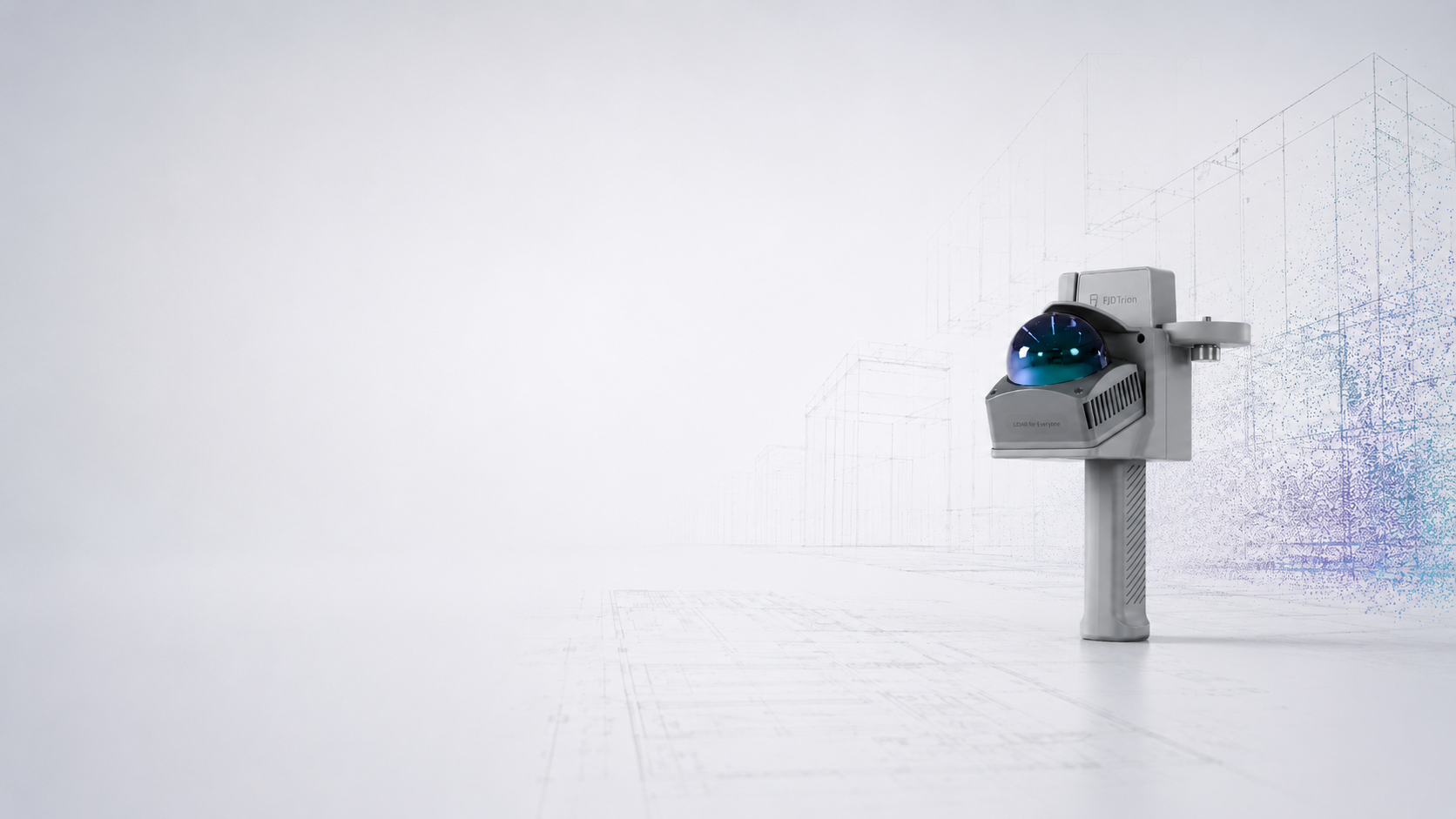
FJD Trion offre scanner LiDAR portatili e flussi di lavoro software per utenti che necessitano di qualcosa di più di una semplice rappresentazione visiva. Per progetti di interior design, ristrutturazione, costruzione e documentazione, FJD Trion aiuta a trasformare gli spazi reali in dati digitali utilizzabili.
Modello FJD Trion
FJD Trion Model è progettato per l'elaborazione di nuvole di punti 3D e flussi di lavoro professionali con dati di scansione. Supporta l'elaborazione di nuvole di punti, la misurazione, la modellazione 3D e gli output relativi a CAD/BIM. Per i team che necessitano di lavorare direttamente con i dati di scansione, offre maggiore flessibilità rispetto a un flusso di lavoro di sola visualizzazione.
Scansione in CAD
Per gli utenti che necessitano di dati pronti per il CAD, FJD Trion Scan to CAD consente di convertire i dati di scansione LiDAR in disegni e documentazione modificabili. Questo supporta flussi di lavoro DWG/DXF, planimetrie, sezioni e registri di progetto per ristrutturazioni, costruzioni e gestione del ciclo di vita.
Scansione per BIM
Per gli utenti BIM, FJD Trion supporta anche i flussi di lavoro da scansione a BIM tramite un plug-in per Revit. Questo facilita la connessione tra FJD Trion Model e Revit, semplificando il passaggio dai dati di scansione alla modellazione e alla revisione BIM.
Risultati della progettazione d'interni
Per i team di interior design e ristrutturazione, i flussi di lavoro di FJD Trion supportano planimetrie 2D, modelli 3D, riferimenti CAD e presentazioni visive. Questo semplifica il passaggio dal rilevamento in loco alla creazione di output pronti per la progettazione.
Dove Matterport e FJD Trion si differenziano
Matterport è un'ottima soluzione quando i team necessitano di un gemello digitale professionale, un tour virtuale e una facile condivisione degli spazi online. È particolarmente utile per il settore immobiliare, il marketing immobiliare, le visite a distanza e la collaborazione visiva.
FJD Trion si posiziona in modo diverso. È più adatto ai professionisti che necessitano di scansione LiDAR portatile e di risultati tecnici più flessibili, tra cui nuvole di punti, disegni pronti per il CAD, riferimenti BIM, planimetrie e modelli 3D.
Un modo semplice per pensarci è:
- Scegli un flusso di lavoro per tour virtuali se il tuo obiettivo principale è visualizzare e condividere uno spazio online.
- Scegliete un flusso di lavoro LiDAR portatile se il vostro obiettivo principale è misurare, documentare, modellare, modificare o consegnare file tecnici.
Per alcuni team, entrambi i flussi di lavoro possono risultare utili. Un tour virtuale può supportare presentazioni e comunicazioni, mentre i dati di scansione basati su LiDAR possono essere utili per CAD, BIM e documentazione dettagliata.
Chi dovrebbe prendere in considerazione un LiDAR portatile al posto di un semplice tour virtuale?
La scansione LiDAR portatile è particolarmente utile per gli utenti che necessitano di report tecnici ripetuti, e non solo di semplici visualizzazioni visive.
Potrebbe essere più adatto a:
- Progettisti d'interni che necessitano di planimetrie e modelli 3D
- Imprese di ristrutturazione che necessitano di documentazione "as-built"
- Architetti che necessitano di riferimenti di nuvole di punti
- Squadre di costruzione che necessitano di documentazione in cantiere
- Team BIM che necessitano di riferimenti di modellazione basati su scansioni
- Fornitori di servizi di scansione che desiderano offrire prodotti CAD e BIM
- Team di gestione delle strutture che necessitano di registrazioni digitali misurabili
- Studi di design che desiderano un maggiore controllo sui dati di scansione e sull'esportazione dei file
Se il vostro progetto si conclude con un cliente che visualizza uno spazio online, un tour virtuale potrebbe essere sufficiente. Se invece il progetto prosegue con la progettazione CAD, la modellazione BIM, la pianificazione della ristrutturazione o la progettazione 3D, la scansione LiDAR portatile potrebbe offrire un valore aggiunto maggiore.
Considerazioni finali: scegliere il flusso di lavoro in base al risultato finale
I tour virtuali e gli scanner LiDAR portatili non rappresentano lo stesso tipo di flusso di lavoro. Possono sovrapporsi, ma risolvono problemi diversi.
Un tour virtuale è ideale per visualizzare, condividere e presentare uno spazio online. Uno scanner LiDAR portatile è invece più utile quando il team necessita di dati misurabili, nuvole di punti, disegni pronti per il CAD, riferimenti BIM, planimetrie e modelli 3D.
Per i team che necessitano di qualcosa di più di un tour virtuale, gli scanner LiDAR portatili FJD Trion offrono una soluzione pratica per acquisire ambienti reali e trasformarli in risultati di progetto professionali.
Scopri gli scanner LiDAR portatili FJD Trion per flussi di lavoro CAD, BIM, planimetrie e modelli 3D.
Domande frequenti
Un tour virtuale è sufficiente per la progettazione o la ristrutturazione di interni?
Un tour virtuale può essere utile per la visualizzazione e la comunicazione, ma i team di interior design e ristrutturazione spesso necessitano di risultati più dettagliati, come planimetrie, nuvole di punti, disegni CAD, modelli 3D e documentazione as-built.
Qual è la differenza tra un tour virtuale e una scansione LiDAR?
Un tour virtuale viene utilizzato principalmente per la visualizzazione e la presentazione online. Una scansione LiDAR acquisisce dati spaziali che possono essere elaborati in nuvole di punti, misurazioni, disegni CAD, riferimenti BIM, planimetrie e modelli 3D.
FJD Trion è un'alternativa a Matterport?
FJD Trion non è un sostituto diretto per tutti i casi d'uso di Matterport. Matterport è ideale per tour virtuali e gemelli digitali, mentre FJD Trion è più adatto agli utenti che necessitano di scansione LiDAR portatile, controllo di nuvole di punti, disegni pronti per il CAD, riferimenti BIM e modelli 3D.
È possibile utilizzare le scansioni LiDAR portatili per la progettazione CAD?
Sì. Le scansioni LiDAR portatili possono essere elaborate in nuvole di punti e utilizzate nei flussi di lavoro di conversione da scansione a CAD. A seconda del software utilizzato, gli utenti possono creare output pronti per il CAD, come disegni DWG o DXF.
Il LiDAR portatile è in grado di supportare i flussi di lavoro BIM?
Sì. Il LiDAR portatile può supportare i flussi di lavoro BIM fornendo riferimenti basati su scansioni delle condizioni esistenti del sito. Con il software appropriato, i dati della nuvola di punti possono essere utilizzati per la modellazione BIM, la pianificazione della ristrutturazione e la documentazione as-built.
Matterport è un marchio registrato del rispettivo proprietario. FJD Trion non è affiliata, sponsorizzata o approvata da Matterport. Questo articolo è inteso esclusivamente a scopo di confronto generale dei flussi di lavoro e a fini didattici.
Come la scansione 3D contribuisce a ridurre le rilavorazioni nei progetti di interior design
Matterport o scanner LiDAR: quale flusso di lavoro è migliore per CAD e BIM?